Midea HVAC
- Year
- 2026
- Type
- Work project · Tres Astronautas
- Stack
- Nest.js
- PostgreSQL and Prisma ORM
- Next.js
- React
- Tailwind CSS
- TanStack Query
- next-intl
- Google Cloud Storage
- Cloud Run and Firebase Hosting
- Turborepo
Summary
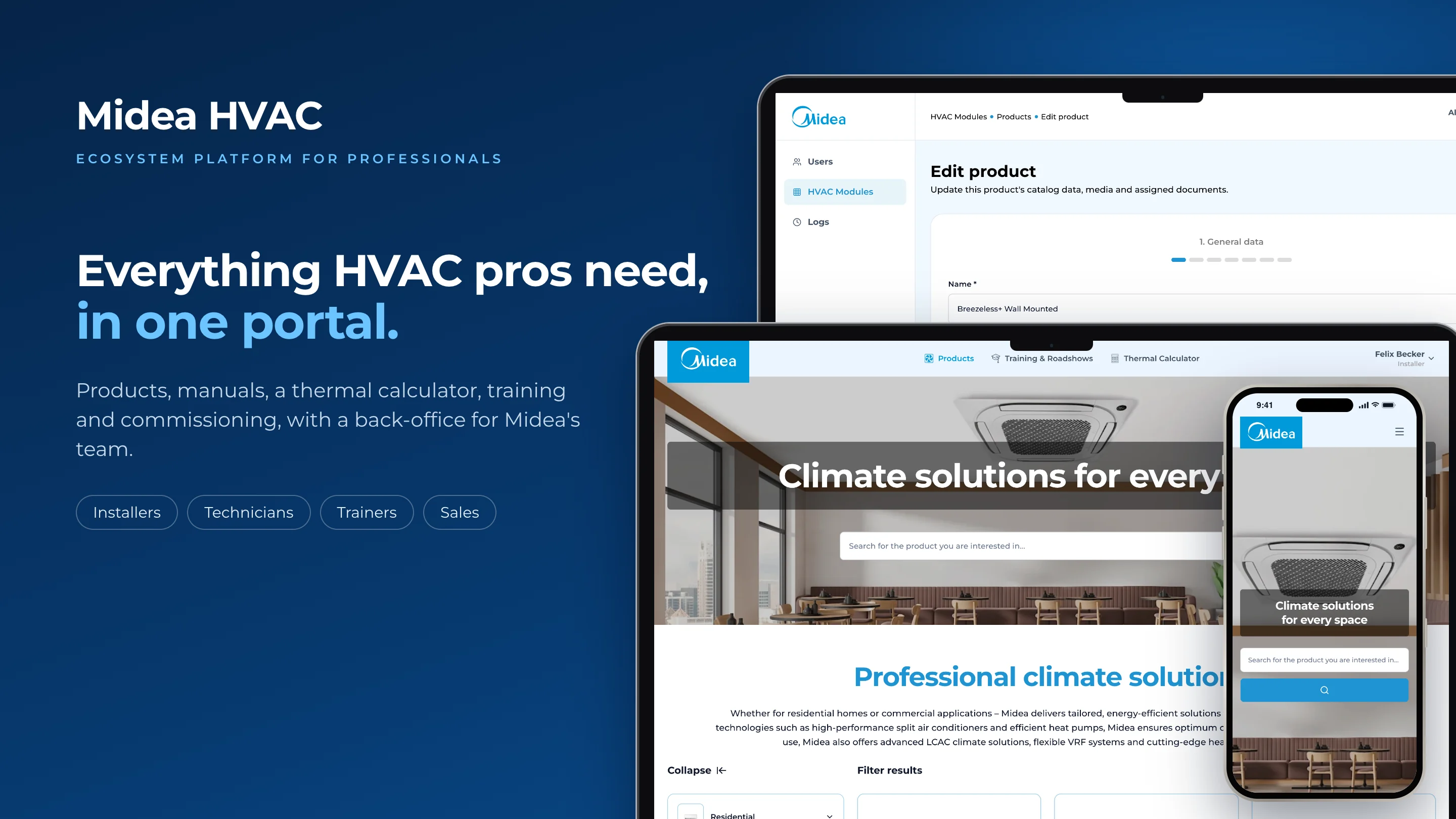
Midea HVAC is an ecosystem platform for Midea Germany's HVAC business. It brings the professionals who sell, install and maintain Midea's air conditioning and heat pump equipment into one portal, and gives Midea's team a back-office to manage everything they see.
Installers, technicians, trainers, sales people and wholesalers need the right product, the current manual or the next training, and without a shared place that depends on emails, attachments and spreadsheets. The platform puts all of that in one place, with the language and the permissions that each audience needs.
The product is made of two portals on one platform:
- The HVAC Solution Portal, for professionals: the product catalog, the documentation of each model, a thermal load calculator, training and roadshows, and commissioning. It works on the desktop and on the phone.
- The back-office, for Midea's team: users, roles and permissions, products, the documentation center, content settings and the audit log.
Everything works in German, the default language, and in English. The most distinctive tool is the thermal load calculator, which sizes air conditioning equipment for a building room by room and suggests real products from the catalog.
I worked on the platform at Tres Astronautas for a client, as a Senior Software Engineer, in a team of five over three months. I built the API and the back-office, and later refactored part of the HVAC Solution Portal.
- 10
- capabilities
- 7
- user profiles
- 2
- portals, in German and English, on desktop and phone
Context & role
- Client: Midea Germany, HVAC business
- Company: Tres Astronautas
- Product: A portal for HVAC professionals and a back-office for Midea's team, on one platform
- Languages: German by default, and English
- My role: Senior Software Engineer
- Team: 1 product owner, 2 software engineers, 1 product designer and 1 QA
- What I built: The API and the back-office, and the refactor of several views of the HVAC Solution Portal
- Duration: 3 months
Problem
Midea's HVAC business depends on a network of professionals who need current product information, manuals, training and a way to size equipment correctly. Without one shared place for it, that information depends on emails, attachments and whoever happens to have the latest version, and it is slow and hard to keep consistent.
The scope of the platform shows where that hurts:
- Installers and technicians cannot be sure they have the latest manual or the right specifications for a model, especially on the job site.
- Sales people size equipment by hand or with spreadsheets, and every proposal depends on whoever makes it.
- Trainers organize trainings and roadshows with no shared agenda, and requests from installers arrive through scattered channels.
- Midea's team has no single place to publish a product, its documents and its media once, for every audience and in two languages.
And without a record of who changed what, nobody can answer for a product or a manual once more people and more content join.
The installer carries most of that weight. It is the default profile of every new professional and the one that crosses the most flows: it looks up products and manuals, sizes equipment, requests commissionings and asks for training, often from the phone on a job site. Most of the platform was designed around getting that person the right answer quickly.
Users & context of use
Seven profiles use the platform. The first six work in the HVAC Solution Portal and the last one works in the back-office. Each profile matches a role that an administrator can edit, and sales, installers and technicians also have an admin variant for people who coordinate a team.
Installer
Looks up products and manuals, sizes equipment with the calculator, requests the commissioning of an installation and asks a trainer for training. It is the default profile of a new professional.
HVAC Solution Portal, desktop and phone
Technician
Finds the documentation of each model, its compatibilities and its combinations, and subscribes to trainings and roadshows.
HVAC Solution Portal, desktop and phone
Trainer
Creates and edits training events, answers training requests from installers, manages participants and issues certificates.
HVAC Solution Portal
Sales team
Uses the catalog and the calculator to propose the right equipment to a customer, and runs the roadshow agenda.
HVAC Solution Portal
Wholesaler
Browses the catalog and reads the wholesaler manuals attached to each product.
HVAC Solution Portal
Commissioner
Follows the commissioning agenda, accepts or denies each request, then certifies the installation with a photo or denies the certification.
HVAC Solution Portal, desktop and phone
Back-office administrator
Manages users, roles and their permissions, products, documentation, landing and legal content, and reads the audit log.
Back-office
The moments that shaped the design
- The installer on the job site checks a specification or a manual from the phone, often in the middle of an installation. The catalog and the documents had to work on a small screen as well as on the desktop.
- The sales person in front of a customer needs a sizing they can trust and explain. The calculator had to be short, guided and end in real products.
- The commissioner at the installation certifies the work with a photo and a note, so that step had to be quick and leave a record.
- Midea's team publishes a product once, with its specifications, media and documents, for several audiences and in two languages.
These moments come from the scope of the project and from what was reviewed in the progress meetings, not from field research with installers or commissioners. They worked as a check for every screen: if a flow did not hold up in one of these moments, it went back to design.
Goals, success metrics & constraints
Goals
- Put products, documentation, training and commissioning in one place for every professional.
- Give each audience only what it needs, with permissions Midea's team can change without a new release.
- Let professionals size equipment correctly and consistently, room by room.
- Make every piece of content available in German and English.
- Keep a record of every business action.
How success would be measured
No success metrics were agreed with the client during the project. These are the ones I would propose to know whether the platform is meeting its goals, each tied to one of them:
| Goal | Metric | What it tells us |
|---|---|---|
| One place for professionals | Weekly active professionals per profile, and share of new users who complete their profile | Whether professionals actually use the portal instead of emails and attachments. |
| Current documentation | Manual downloads per product, and searches that end without a result | Whether people find the document they need, and which ones are missing. |
| Consistent sizing | Calculations completed per week, and share that end in a product page or a saved result | Whether the calculator is used in real proposals. |
| Training and commissioning | Time from request to accepted commissioning, and seats filled per training | Whether requests move faster and events reach their audience. |
| Content in two languages | Share of content with both languages written by a person | How much the team relies on automatic translation. |
Constraints
- Seven profiles with very different needs, sharing one platform and one catalog.
- Two languages from the start, for the interface and for every piece of content.
- Permissions that change as Midea's organization changes, without waiting for a release.
- Large files, such as manuals, videos and 3D models, that had to reach professionals reliably.
- Three months and two engineers. The whole platform, from the API to both portals, had to fit in a short timeline, so the flows each profile uses every day came first.
- A large organization. Some decisions and inputs, such as content, access or the sign-in with the Midea account, went through several levels of approval, and some depended on Midea's global teams. The platform was built so each piece could keep moving while it waited, for example with its own sign-in ready in case the Midea account was not.
- Changing points of contact. The person leading the project on the client side changed more than once, so decisions and context were kept in writing to carry over from one to the next.
- Working across languages. The team and the client worked in a language that was not the first one for either side, so agreements were confirmed in writing and against the screens, not only in calls.
Process & prioritization
From problem to scope
The work started from the profiles and what each one repeats every day, and from the flows that cross from one profile to another, such as a commissioning that starts with an installer and ends with a commissioner, or a training request that becomes an event.
That map turned into the product's modules, and into two portals: one for the professionals and one for the team that manages what they see.
How the team worked
Twice a week we met to review progress. Each review covered what had been built since the last one, the next flows to tackle and any change in scope, which kept design, product and engineering aligned in a short project with a small team, and let priorities shift without losing weeks.
What the platform covers
| Area | What it enables |
|---|---|
| Accounts | Sign-in with a one-time code, public registration with the choice of a profile, accounts created by an admin, password recovery. Sign-in with the Midea account is built but not yet enabled. |
| Roles and permissions | Roles mapped to modules and to actions (view, create, edit, delete, use and download), edited from the back-office and applied right away. |
| Product catalog | Categories, subcategories, series and tiers, with product sheets, specifications, compatibilities, media, 3D models and a guided create and edit wizard. |
| Documentation center | Manuals and resources with versions, published one by one, assigned to several products and grouped by audience. |
| Thermal calculator | Room-by-room load estimation, indoor and outdoor unit suggestions, multi split combinations, saved and shareable results, and a PDF export. |
| Training and roadshows | Events with participants, requests from installers, trainer statistics and certificates, with events that start and close on their own. |
| Commissioning | Installers request a commissioning, and a commissioner accepts, performs and certifies it with photo evidence. |
| Content settings | A landing carousel, social links and legal documents such as the terms, the privacy policy and the imprint. |
| Audit log | An event log with status, priority and actor, and a back-office screen with statistics. |
| Two languages | German and English for the interface and for every piece of content. |
What waited and what was left out
- Sign-in with the Midea account was left out of the launch. The integration with Midea's identity provider was built on the platform side, but access to its production environment was never shared, so it could not be turned on. The platform launched with its own sign-in, with one-time codes and password recovery, and the integration stays ready for when that access arrives.
- Some statistics, such as the roadshow ones, still show placeholder data.
- The calculator is a simplified model for now.
Design decisions
The decisions that most shaped the experience, made by the team and designed by the product designer of the project, part of the Tres Astronautas team. Each one starts from a real situation, explains what was chosen and what it cost. Click any image to open it larger. The screens are in English, and every one of them also exists in German.
Two portals, one per audience
Problem. Professionals look for products, documents and events. Midea's team creates and manages them. Putting both in one interface would make every screen harder to use.
Decision. Two portals on one platform: the HVAC Solution Portal for professionals and a back-office for Midea's team, with one design system shared by both.
Trade-off. Two applications to design, build and maintain.
In the product. Inside the portal, the menu and the screens change with the profile. An installer sees the calculator and commissioning, a trainer sees the training panel and a commissioner sees the commissioning agenda. A role can open one portal or both.
Permissions that change without a release
Problem. Midea's organization changes: new teams, new responsibilities, new partners. Fixed roles in code would need a new release for every change.
Decision. Roles are created and edited in the back-office, as a matrix of modules and actions, and each role decides which portal it can open.
Trade-off. A matrix is powerful but easy to get wrong, so the screen has to make each permission clear.
In the product. The portals hide what a person cannot use, and every action is also checked on the server, so a hidden button is never the only protection. Removing a role asks first which role its users move to.
A wizard for a product with many parts
Problem. A product has general data, model numbers, specifications with three values each, compatibilities, a gallery, 3D models, documents and marketing content. One long form would be overwhelming.
Decision. A guided wizard in seven steps, each with one topic, and a progress bar that shows where the editor is.
Trade-off. More steps to go through, even when only one part of the product changes.
In the product. Specifications are entered as minimum, nominal and maximum values, compatibilities are chosen from the catalog, and large media go straight to storage while the editor keeps working.
Documents grouped by who reads them
Problem. The same product has catalogs for customers, installation guides for installers and error codes for technicians. A single list of files would mix them up.
Decision. Each resource has an audience, a subsection, a language and a version, and the product page groups them by audience.
Trade-off. Editors have to classify each document when they upload it.
In the product. A manual is uploaded once and assigned to several products. Each version is published on its own, so a new one can be prepared without hiding the current one.
One person asks, another resolves
Problem. Commissioning an installation involves an installer, a technician and a visit, and without a shared tool it falls to phone calls and emails.
Decision. The installer picks a day, a technician and an address in one screen. The commissioner sees it in an agenda, accepts or denies it, and certifies the visit with a photo.
Trade-off. Both sides need an account and have to use the portal for the flow to work.
In the product. Each request moves through a fixed set of states, both sides see the same status, and every step is recorded.
Requests that become events
Problem. Without a shared tool, installers ask for training through scattered channels and trainers have no shared agenda.
Decision. Installers send a request from the portal, and the trainer turns it into an event or rejects it. Professionals see one agenda of trainings and roadshows and subscribe while there are seats.
Trade-off. Trainers manage requests and events in two places of the same panel.
In the product. Events start and close on their own at their scheduled times, and certificates are issued when they end.
Two languages as data, not only as labels
Problem. Professionals in Germany work in German, but part of the content and part of the team work in English.
Decision. German is the default, and every piece of content, from a role name to a product sheet, is stored in both languages.
Trade-off. Editors work with two fields for each text.
In the product. When only one language is written, the platform fills the other with automatic translation, so no screen is left half translated.
The same portal on the phone
Problem. Installers and commissioners check products and agendas on the job site, away from a desk.
Decision. One responsive portal instead of a separate mobile app, with the same features on every screen.
Trade-off. Dense screens, such as specifications or the calculator, had to be redesigned for a narrow column.
In the product. Product lists become cards, the menu folds into one button and keeps the language switch at hand.
A record anyone on the team can read
Problem. As more people edit products, documents and roles, the team needs to know who changed what.
Decision. Every business action is recorded with its actor, role, module, status and priority, and the back-office shows it as a table or as an activity feed.
Trade-off. Every new feature has to remember to write its own records.
In the product. Sensitive changes, such as editing an admin role, are marked with a higher priority, and failed actions are recorded too.
Thermal calculator
The calculator is the tool that most sets the portal apart. It replaces a sizing done by hand or in a spreadsheet with a short, guided flow that ends in real products from the catalog.
A few guided steps
The installer chooses the type of installation, single split, multi split or both, then enters the size of each room and how many people use it and for what. Each step validates its fields before moving on, so the result never comes from incomplete data.
From rooms to products
The calculation estimates the load of each room from its volume and from the people in it, then adds the rooms together. For a single split it compares each room with the indoor units of the catalog and marks the match as undersized, optimal or acceptable. For a multi split it picks the smallest outdoor unit that covers the load with a valid combination, and spreads the load over several units when one is not enough.
The result is saved with its inputs, can be shared and exported as a PDF. The method is documented in the repository with worked examples.
Design system
The portal and the back-office are built on one design system, created by the product designer assigned to the project at Tres Astronautas and shared as a component library by both applications. A person who works in both, such as a trainer who is also an admin, recognizes every piece.
Foundations
- One typeface for everything. Montserrat carries titles, the interface, forms and data, and the hierarchy comes from size and weight: medium for body text, semibold for labels and product names, bold for titles.
- A type scale shared by both portals. Titles, body text, labels and captions have the same sizes and line heights in the back-office, in the portal and on the phone.
- Midea's blue as the action color. The brand blue marks the main action of each screen, with fixed tones for hover, selected, loading and disabled, so every button and link reacts the same way.
- A neutral scale for surfaces and text. Backgrounds, borders, secondary text and disabled states come from one gray scale, which keeps dense screens, such as specifications and tables, calm and readable.
- Status colors with fixed meanings. Green, red, orange and blue always mean the same thing, for example in a published product, a denied commissioning or a pending training request.
- Radius and spacing scales. A short set of values that keeps cards, inputs, tables and buttons consistent.
One language on every screen
The components follow atomic design: primitives such as buttons, inputs and checkboxes combine into fields, filters and badges, then into cards, tables and forms, and finally into full screens. A product card, a status badge or a filter looks and behaves the same in the back-office, in the portal and on the phone.
Built into the apps
Together with the other engineer, I brought the design system into code as a shared component library used by the portal and the back-office. The colors, typography, radius and spacing became theme tokens, and the components were built following the same atomic layers as the design, from primitives to full screens. That way a new screen is assembled from existing pieces, and a change to a token reaches every screen that uses it, in both portals.
From design to code
As a Senior Software Engineer, my work was turning the design into a working product. Many technical choices exist only to protect the experience the design called for. This section explains how the platform is organized, in terms of what each part does.
Architecture
The platform lives in one repository: the API, the portal, the back-office and shared packages for the design system and the contracts between them. The API is split into business modules, such as users and roles, products, documentation, the calculator, training and commissioning, and each module keeps its business rules apart from the technical details, so features can grow without getting tangled. Click a diagram to open it at full size.
The two portals talk to the API only, and the shared contracts keep the three applications in agreement about every piece of data.
Commissioning and training
Both flows follow the same pattern: one person asks, another resolves, and every step is recorded. A commissioning moves from requested to accepted and then to certified, or it is denied. Training events and roadshows are planned, start and close on their own at their scheduled times, and only a person can cancel one.
Files and languages
Manuals, videos and 3D models can be large, so they go straight to storage from the browser, in parts, and never slow down the rest of the platform. Every piece of content exists in German and English, and when only one is written the other is filled with automatic translation.
Delivery
The platform has separate development, staging and production environments, and the API, the portal and the back-office are released on their own. Every change runs automated quality and security checks before it is merged.
My part of the build was the API and the back-office, which I built end to end. I then joined the work on the HVAC Solution Portal, where I refactored several views so they followed the same components, patterns and data handling as the rest of the platform.
Working with AI agents
The work is spec-driven: features start as written specifications, and the repository carries rules and skills for AI coding agents, so that people and agents follow the same conventions.
Technical decisions
These are the technical choices that shaped the platform, with the reason for each and what it cost.
| Decision | Why | Trade-off |
|---|---|---|
| Business modules with clear boundaries | Business rules stay apart from technical details and are easy to test. | More files per module, and the products module grew large. |
| Permissions stored as data | Roles can be edited at any time without a release. | Every guarded action has to check them. |
| Shared contracts between apps | One source of truth for the data the three applications exchange. | The shared package has to be built before the apps that use it. |
| Separate portal and back-office | Different audiences and navigation, one design system. | Two web applications to release and maintain. |
| Uploads straight to storage | Large manuals and media do not load the API. | The upload flow lives in the browser. |
| Content in two languages as data | Every piece of content exists in German and English. | Editors work with two fields, and automatic translation fills gaps. |
| One audit log with priorities | Every action is traceable, and sensitive changes stand out. | Every feature has to write its own records. |
Results
The client received one portal that brings installers, technicians, trainers, sales people and wholesalers together, and a back-office where Midea's team manages everything they see, in German and English, on the desktop and on the phone.
- Professionals browse the catalog and find the documentation of each model in one place.
- Installers size equipment with the thermal calculator and request commissionings from the portal.
- Trainers and commissioners manage their agendas, from the request to the certificate.
- Midea's team manages users, roles, products and documents, and can review every action in the audit log.
Some parts are still evolving: the calculator is a simplified model for now, and some statistics, such as the roadshow ones, show placeholder data.
The platform is in production, and the professional profiles in Germany use it in their daily work. No usage figures were shared with the team, which is why the metrics above matter: the first measurements will set the baseline, and from there it will be clear whether professionals find documents faster, whether the calculator ends in real proposals and whether commissionings move faster from request to certificate.
Learnings & next steps
Next steps
- Take the first measurements of use as the baseline for the metrics above.
- Turn on sign-in with the Midea account once access to its production environment is shared.
- Evolve the calculator from a simplified model with Midea's engineers.
- Replace the placeholder statistics with real data.
What I learned
- Permissions belong in the data, not in the code. Making roles editable from the back-office took more work at the start than a fixed list would have. It paid off quickly: Midea's organization and its points of contact changed during the project, and each change became a setting the team could adjust instead of a new release.
- Plan for what you do not control. The sign-in with the Midea account depended on access that never arrived. Because the platform had its own sign-in from the beginning, the launch did not depend on it. Next time I would ask for that kind of access in the first week, and still build the fallback.
- Shared conventions are cheaper at the start than later. Refactoring part of the portal showed me how much it costs to align views after they are built. Agreeing early on the components, the patterns and how each screen loads its data keeps two people building in the same direction, and it is something I would set up on day one.
Final product
A few screens of the final product, with demo data.